The reports
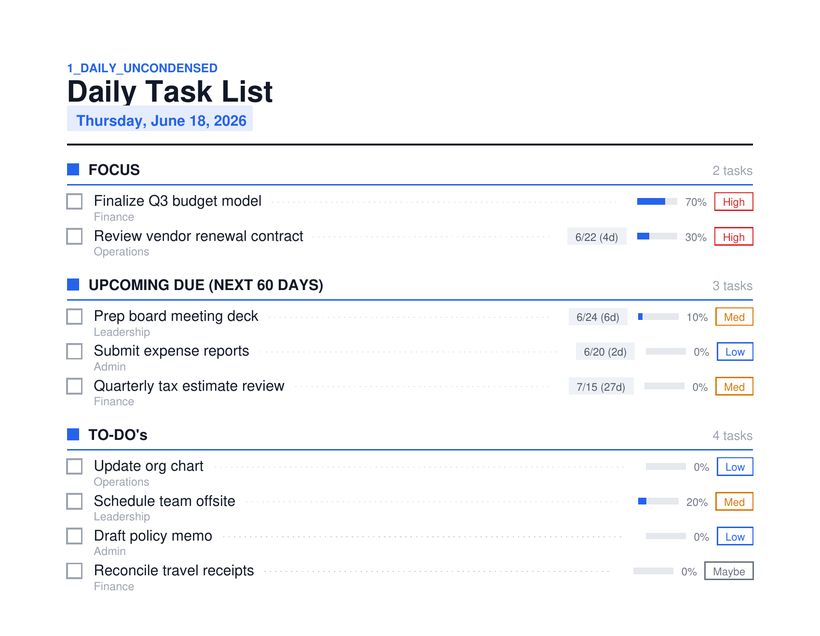
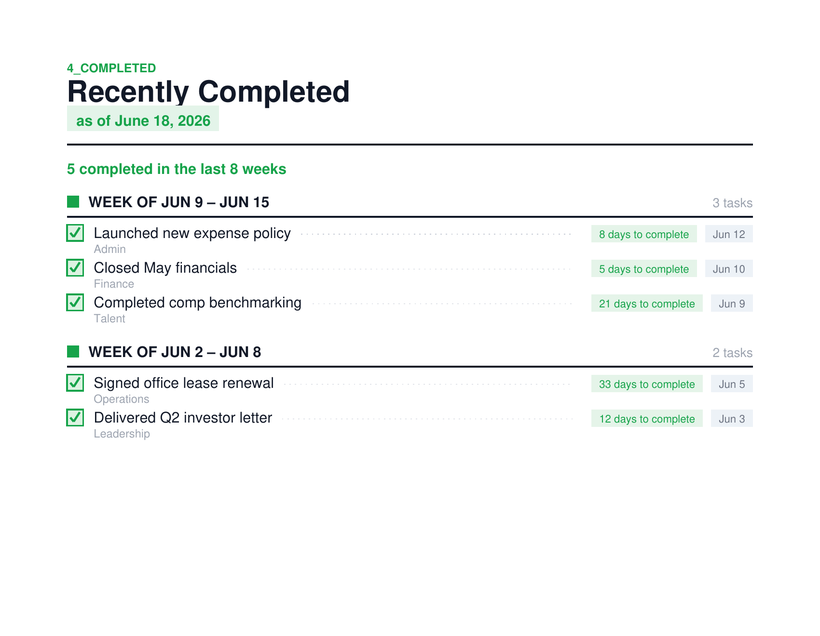
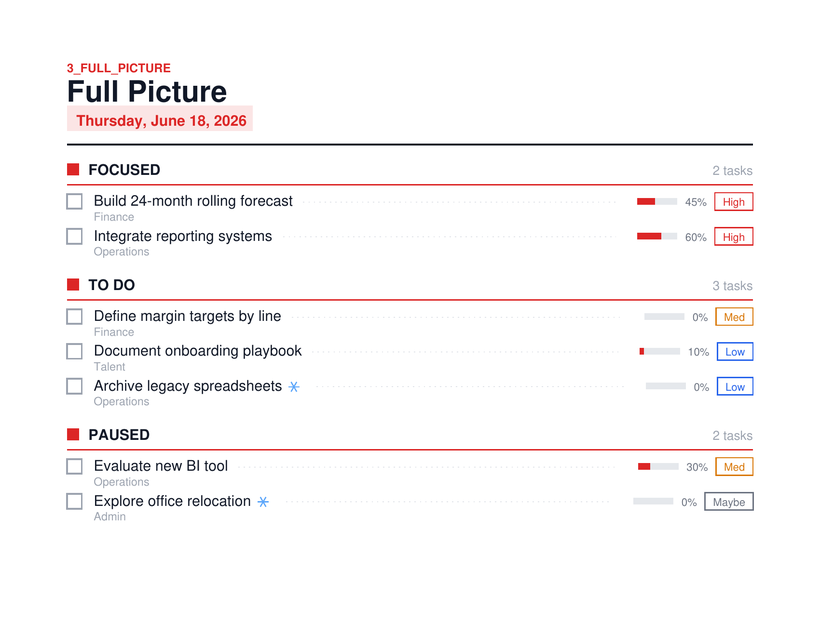
Three templates, rendered straight from Notion data and delivered as PDFs — shown here as illustrations of the real output.
A report engine that reads my tasks from Notion, renders them as PDFs, and emails them on a schedule set in a Notion table — no code change to retune.
A genuine three-system pipeline — Notion → Worker → email — with a cron heartbeat and an on-demand preview path.
The interactive data-flow diagram is built for a larger screen.
Open the full diagram in its own tab ↗
Turn Notion from a place tasks live into a place tasks come find you. Notion is a fine system of record but a passive one — you have to go look. This pipeline flips that: the right slice of tasks (by area, by recipient, by day) shows up as a clean PDF in the right inbox at the right hour, with zero daily effort. The deeper point, consistent with the rest of the portfolio: a non-developer wired a stateless Cloudflare Worker to the Notion API and an email service and made it run itself on a cron.
A stateless Cloudflare Worker reads tasks from Notion, renders them into formatted multi-page PDF reports, and emails them on a schedule that lives entirely in a Notion settings table — when, to whom, and what scope a report covers are all configuration, not code. Every hour the worker wakes, checks the table, and sends any report whose hour and day match the current time. The same reports can be previewed on demand by visiting a link, which generates and shows the PDF in the browser without ever sending email. Three templates cover different needs: a one-page Daily snapshot, a two-page Completed history (done in green, canceled in red), and a Full per-bucket view grouped by status with completion gauges.
The genuinely hard-won piece was the email engine itself — getting the whole render-and-deliver path right end to end. PDFs are built in memory from live Notion data on every run, then attached and delivered through a verified sending domain. There's a subtlety baked into the design: a scheduled run emails the report, but clicking a preview link never does — the same core builds the PDF either way, and only the scheduled path is allowed to send. Getting that split clean, and getting the rendered output to print correctly, was the real work.
Nothing about when, to whom, or what scope a report covers lives in code — it all lives in a Notion table. One row equals one report. Change a send time, a recipient, or a scope by editing the row; pause a report by unchecking a box. The control panel is just a Notion table, and that's the point.
Three templates, rendered straight from Notion data and delivered as PDFs — shown here as illustrations of the real output.